| Overview Need detailed reporting of all your project expenses? Follow these steps to export Expense Reports in QuoteToMe. |
Exporting Expense Reports
1. Navigate to the Expense Page
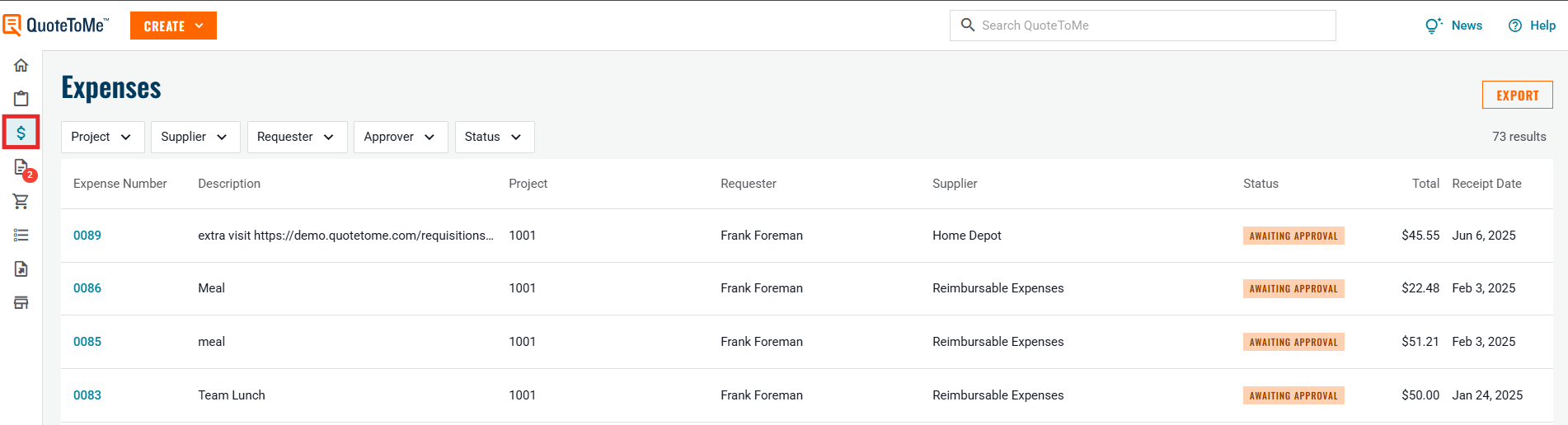
- On the left-hand sidebar, click the Expense icon (dollar icon).
2. Click "Export"
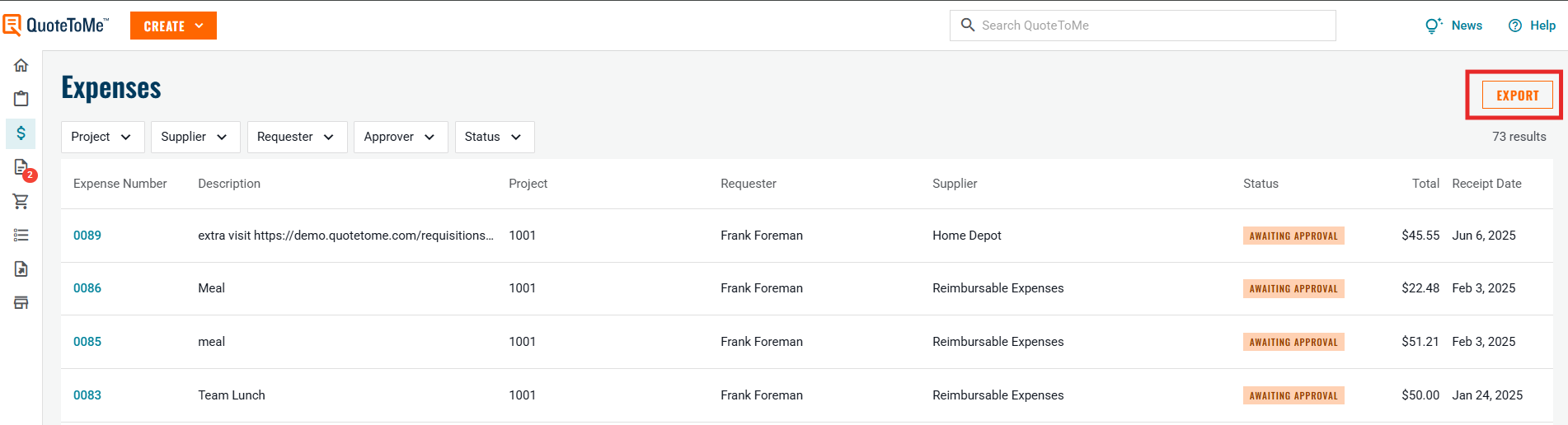
- Click the orange EXPORT button in the top-right corner of the Expenses page.
3. Select Date Range
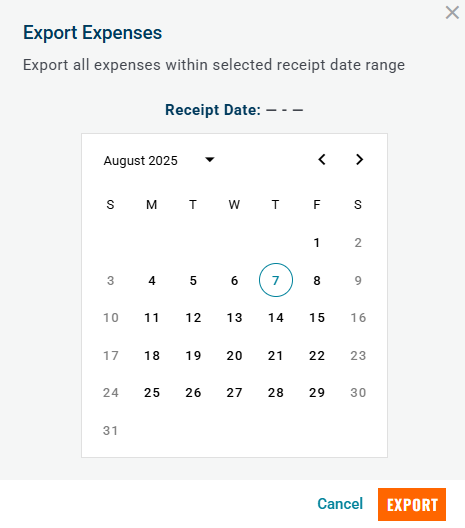
In the Export Expenses popup:
Choose a start and end date using the calendar.
This will filter the export to only include expenses within that receipt date range.
4. Confirm Export
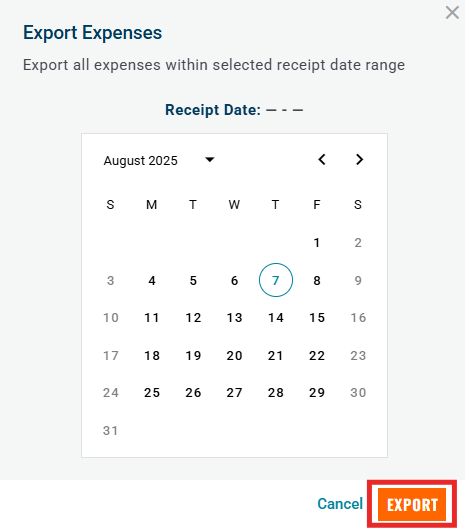
- Click the orange EXPORT button at the bottom-right of the dialog to generate the report.
Notes:
- Please only request the report once. It will take some time for the data to compile and multiple requests will only slow it down & create duplicates.
- The report will generate and send to your email when complete.
Need help?
Reach out to our Customer Support team:
- Call us toll-free at 1-833-712-5021
- Chat with us in our web and mobile apps