This is a web-only feature and cannot be completed on the mobile app.
OverviewAs of May 2026, only Administrators can add new suppliers. To get quotes & send POs, you will need to manage your supplier list. Users can:
Admins can:
|

Manage Your Supplier List
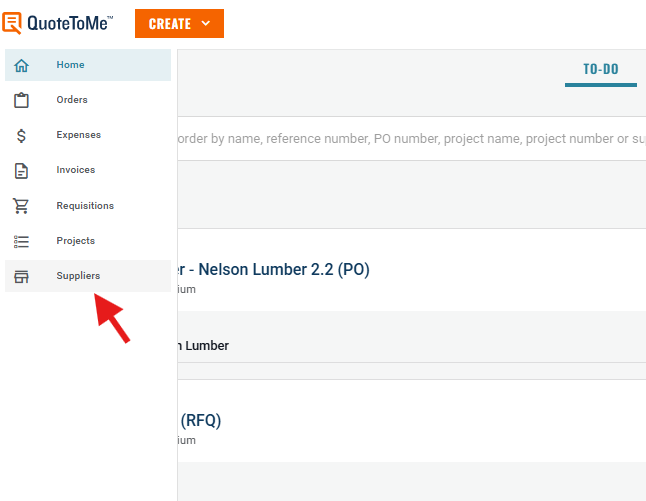
Step 1: Navigate to Suppliers on the left navigation bar.
Step 2: Find the Supplier
- Use the search bar to look for the supplier by name or address.
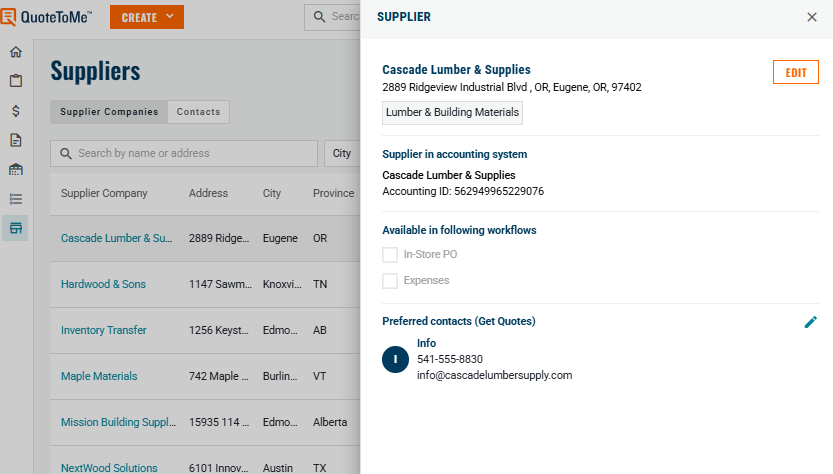
- Click on the supplier's name to open the Edit Supplier panel.
- Here you can add preferred contacts or de-select current ones to stop them showing in your list.
Administrators Only:
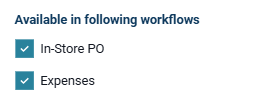
Administrators can mark suppliers as available for In-Store PO and/or Expenses on the supplier page.
- If you require a supplier for these uses please request this from your administrator.
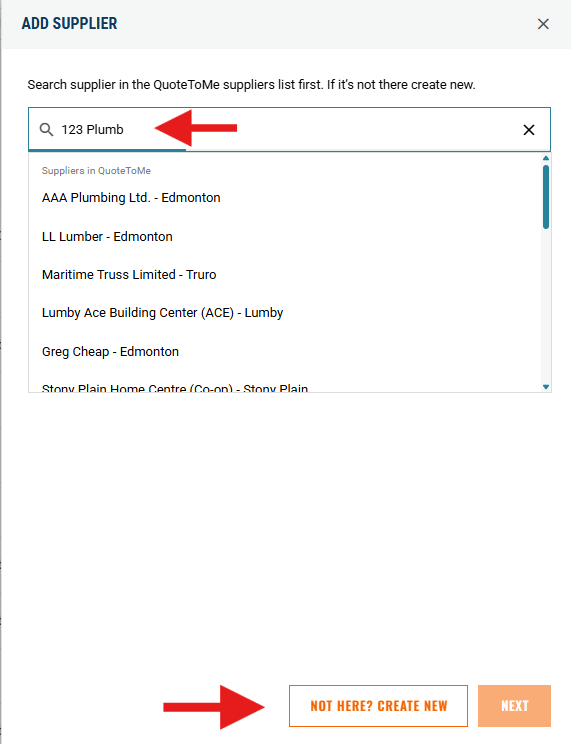
If the supplier is not found in the database:
- Click "Add New" under the search bar.
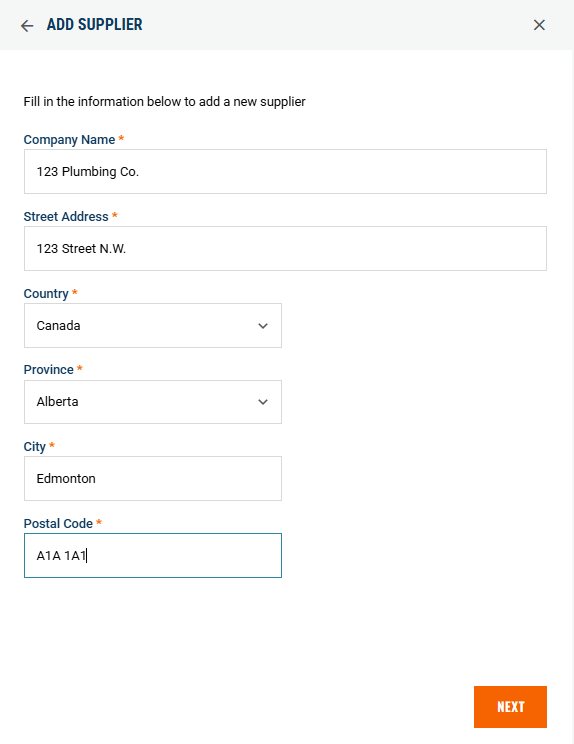
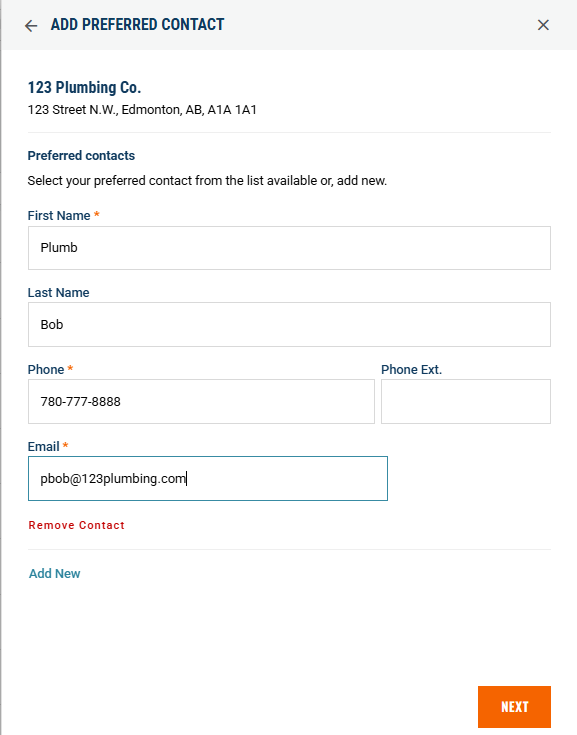
- Fill in the supplier's details + contact information and create a new supplier.
Note: Always search for an existing supplier before adding a new one to avoid duplicates.
3. Fill in the supplier details:
4. Add a contact with a valid email address in order to request quotes & send POs with QuoteToMe:
5. Once your supplier is added, they will be available to select in Get Quotes and Create PO.

Need help?
Reach out to our Customer Support team:
- Call us toll-free at 1-833-712-5021
- Chat with us in our web and mobile apps