How to Extend the Due Date on an RFQ
You can extend the RFQ due date at any time.
To do this:
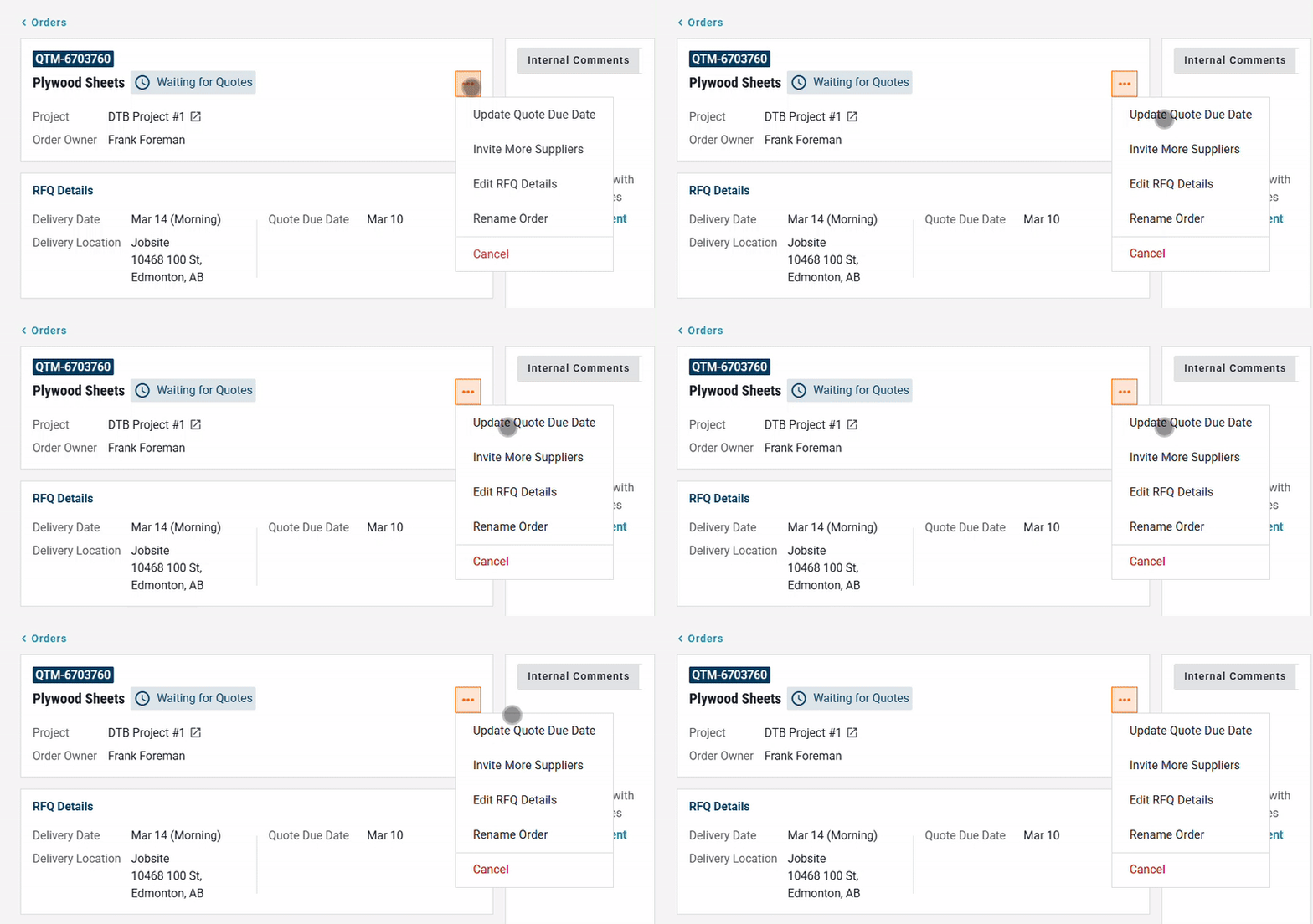
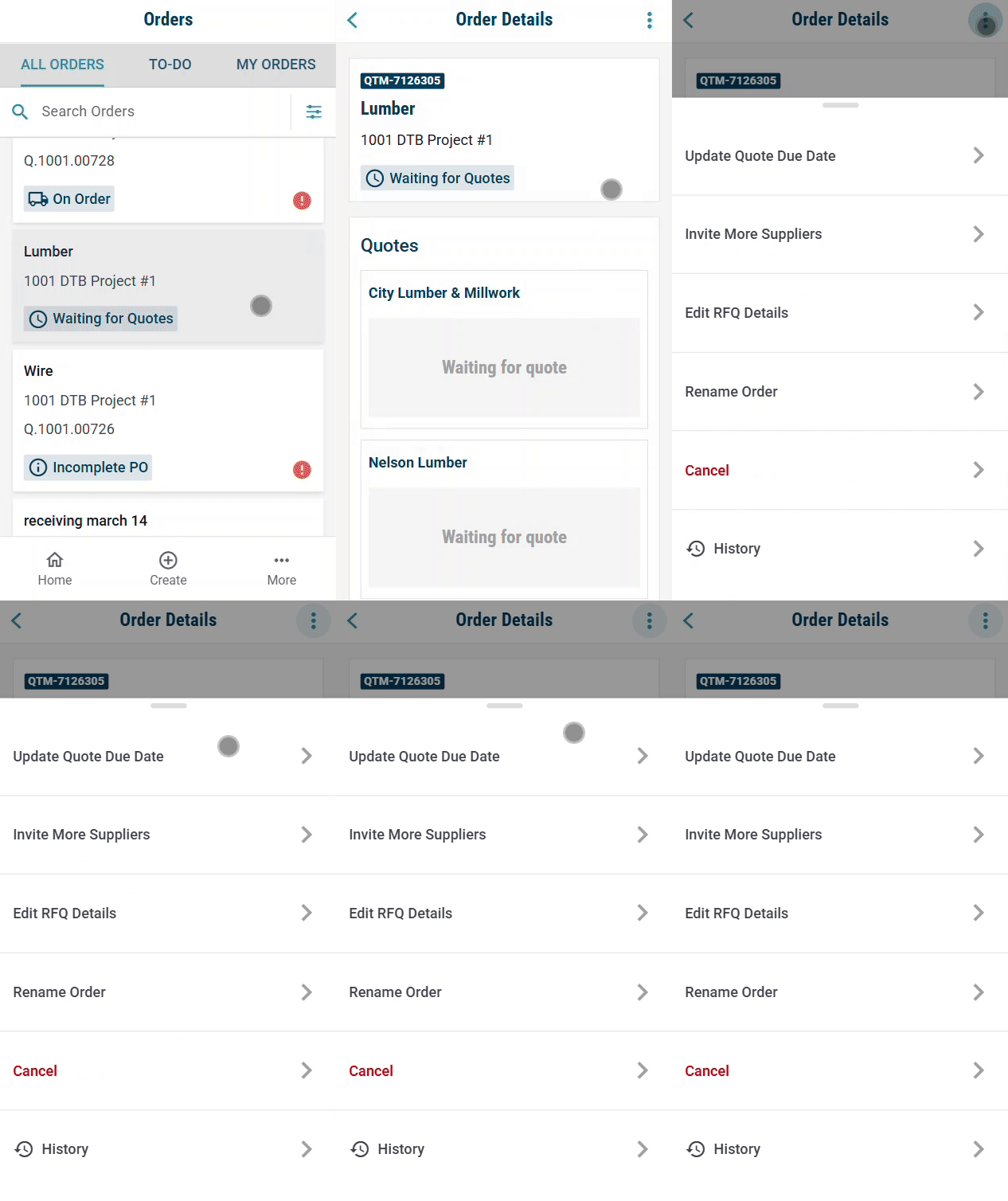
Click the three-dot menu (⋯) on the RFQ.
Select Update Quote Due Date.
Update the due date field to your new deadline.
Save your changes — suppliers will be notified automatically of the extension.
Desktop:
Mobile:
Need help?
Reach out to our Customer Support team:
- Call us toll-free at 1-833-712-5021
- Chat with us in our web and mobile apps